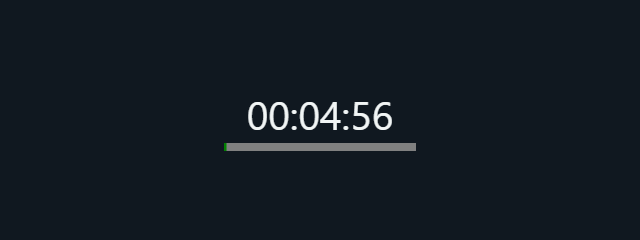




The large elapsed-time readout and Current lap line make it easy to follow a session as it unfolds. Before starting, decide what counts as a lap—one circuit, drill, or experiment interval—so each press of Lap has a consistent meaning.
How to use Stopwatch
- Select Start to begin measuring elapsed time. You can also press Space to start or pause the timer when focus is not in an input.
- Press Lap at each split point you want to mark. The display shows the current lap time, and the tool can record up to 100 laps.
- Use the elapsed-time readout and Current lap value to follow your session while it runs.
- Select Reset when you want to clear the current timing session and begin again. The R key also resets it.
- Select Fullscreen or press F for a larger view. Press Escape or use Exit fullscreen to return. In a native fullscreen scene, tap the scene or press Tab to show dismissible exit controls.
When to use it
- Practice runs: Mark each circuit or interval to compare your splits during a training session.
- Sports drills: Time repeated exercises and use laps to note when each round ends.
- Workout sets: Track the elapsed time across a series of exercises without stopping the overall session.
- Music or performance practice: Time a run-through and mark sections or repetitions as laps.
- Classroom experiments: Record elapsed intervals as observations happen, keeping the timing in one place.
- Cooking and household tasks: Use it for everyday elapsed-time checks when a simple visual timer is enough.
- Testing a routine: Measure how long a repeatable task takes, then use laps to separate its stages.
Tips for clearer timing
Start from a steady position where you can reach Lap at the split points you care about. If you are timing someone else, agree on the start and lap signals in advance; this makes the recorded splits more consistent.
For a multi-stage task, decide whether each lap represents a full cycle or one section. Keep the same definition throughout the session, and use the Current lap display to check the interval in progress. If you need a clean second attempt, Reset clears the existing session before you start over.
Fullscreen can make the readout easier to see from a short distance, such as while exercising or practicing. The tool is a browser timer with no audio, so keep the page visible if you need to watch the display.
Limits of the browser Stopwatch
This tool measures elapsed browser time using monotonic performance time while the page is open. Browser and device sleep behavior varies, and reloading the page resets the timing session, so avoid relying on it for results that must survive a reload or device sleep. It is not certified timing equipment; for official competition results, laboratory work requiring traceable timing, or other critical measurements, use suitable dedicated equipment.
A browser stopwatch is best for convenient personal timing, practice, and informal measurements. It does not replace a coach’s timing system, laboratory instrument, or other method required for a formal result.